Order Twin
A real-time digital replica of every order, from placement through final delivery.
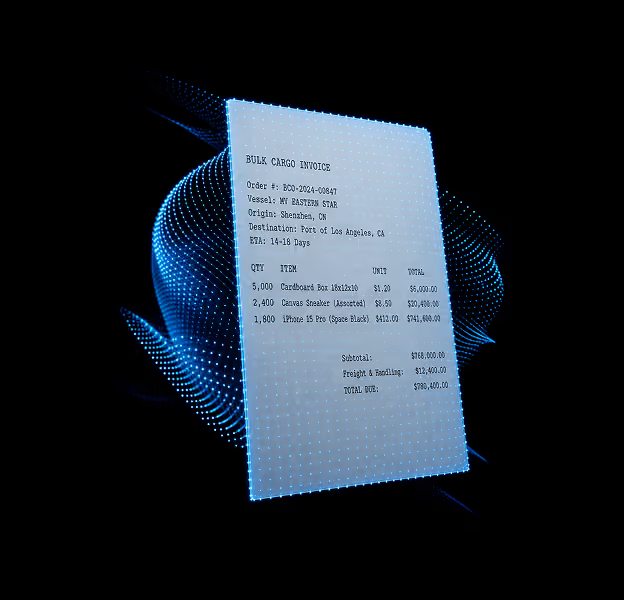
In most enterprises, orders live in ERP systems and shipments live in TMS systems, and the two worlds barely talk to each other. A procurement manager creates a purchase order in SAP. Weeks later, a logistics coordinator creates a shipment in the TMS. Between those two moments, and for the entire journey that follows, no single system holds the complete picture of what was ordered, what actually shipped, where it is, and whether it will arrive on time.
The Order Twin bridges that gap. It creates a continuous, real-time digital representation of every order in your supply chain, linking the commercial intent (what was ordered, from whom, for when) to the physical reality (what shipped, on which carrier, arriving when). It ingests order data from your ERP, OMS, or WMS at the moment of creation and maintains a live model of that order's lifecycle through every stage: placement, acknowledgment, shipment creation, in-transit movement, partial delivery, and final fulfillment.
This is not order tracking at the shipment level. The Order Twin models the full order hierarchy: the order itself, its line items (individual SKUs with quantities and required dates), its deliveries (how the order is being fulfilled), and the shipments carrying those deliveries. A single purchase order might contain 50 line items, split across 12 deliveries, moving on 8 different shipments via 4 different carriers. The Order Twin holds that entire structure as a connected graph, updated in real time.
Supply Chain Objects Modeled
- Purchase Order (PO): An inbound order placed with a supplier. Carries supplier details, ship-to facility (GLN), required delivery date, commodity info. Lifecycle: Created, Open, In Transit, Partially Delivered, Fully Delivered, Cancelled, Closed.
- Sales Order (SO): An outbound order committed to a customer. Carries customer details, ship-from facility, ship date, delivery terms. Lifecycle: Created, Open, Ready to Ship, Dispatched, In Transit, Delivered, Cancelled, Closed.
- Stock Transfer Order (STO): An internal movement between your own facilities: DC to DC, plant to warehouse, warehouse to store.
- Production Order: An order tied to a manufacturing schedule. Links raw material inbound shipments to production line requirements for line-down risk prediction.
- Line Item: An individual SKU within an order: product code, ordered quantity, shipped quantity, received quantity, unit price. Supports batch and lot-level tracking.
- Delivery: A fulfillment unit grouping one or more line items shipped together. A single order may have multiple deliveries. Each links to physical shipments in the Shipment Twin.
- Risk Score: AI-generated assessment of each order's likelihood of arriving on time and in full, continuously updated as shipments move and conditions change.
Execution Systems Ingested
- ERP: Purchase orders, sales orders, stock transfer orders, production orders, line items, delivery schedules, and goods receipt. Integrated through standard APIs.
- OMS: Sales orders, fulfillment status, and allocation decisions.
- WMS: Picking confirmation, loading confirmation, shipment-to-delivery linkage, and goods receipt.
- TMS: Shipment-to-order mapping. When a shipment is created against a PO, the Order Twin automatically links physical movement to the commercial order.
- Supplier Systems (via Sam): Commercial invoices, packing lists, BOLs, and ASNs submitted by suppliers. Sam extracts structured data and links to the corresponding order.
When you need this Twin
- Procurement creates POs in SAP but has no visibility into whether those orders are physically moving, at risk, or stuck.
- Customer service spends significant time answering WISMO inquiries by toggling between ERP, TMS, and carrier portals.
- You have OTIF penalty exposure but discover at-risk orders too late for corrective action.
- Split shipments, partial fills, and multi-mode orders create complexity your current systems cannot model in a unified way.
- Planning teams lack forward-looking order risk signals. The ERP shows what was supposed to happen; nobody shows what will actually happen.
- Stock transfer orders between your own facilities are invisible. Inventory is "in transit" in SAP but nobody knows when it will actually arrive.
Core Capabilities
Capability | Description | |
End-to-End Order Lifecycle | Visibility from order creation through every stage, with each transition timestamped and attributed to the party responsible — supplier, carrier, or facility. | |
Full Order Hierarchy | Models the full chain from order to line items to deliveries to shipments. A single purchase order spanning dozens of lines, multiple deliveries, and shipments across several carriers becomes one connected graph. | |
Order Risk Scoring | AI-driven risk assessment weighing carrier reliability, lane performance, weather, and facility patterns, surfacing high-risk orders days before they're affected. | |
OTIF Performance Analytics | Real-time On-Time In-Full measurement at the order, line item, supplier, carrier, and lane level, with automated root-cause attribution for every miss. | |
Bidirectional ERP Sync | Status updates, delivery confirmations, and risk alerts flow back to your ERP through standard APIs or callback events. | |
Agent Integration | Cassie resolves WISMO inquiries, Sam detects document mismatches, and Tracy prioritizes carrier follow-ups by order value and customer criticality. | |
Frequently Asked Questions
One billion hours of operational work completed by AI agents over the next decade.